
Shared calendar
Month and list views, blocked dates, repeating stays and a booking window. Add stays one by one or import an .ics file from Google, Outlook or Apple. Co-owners subscribe once and see updates in the calendar app they already use.
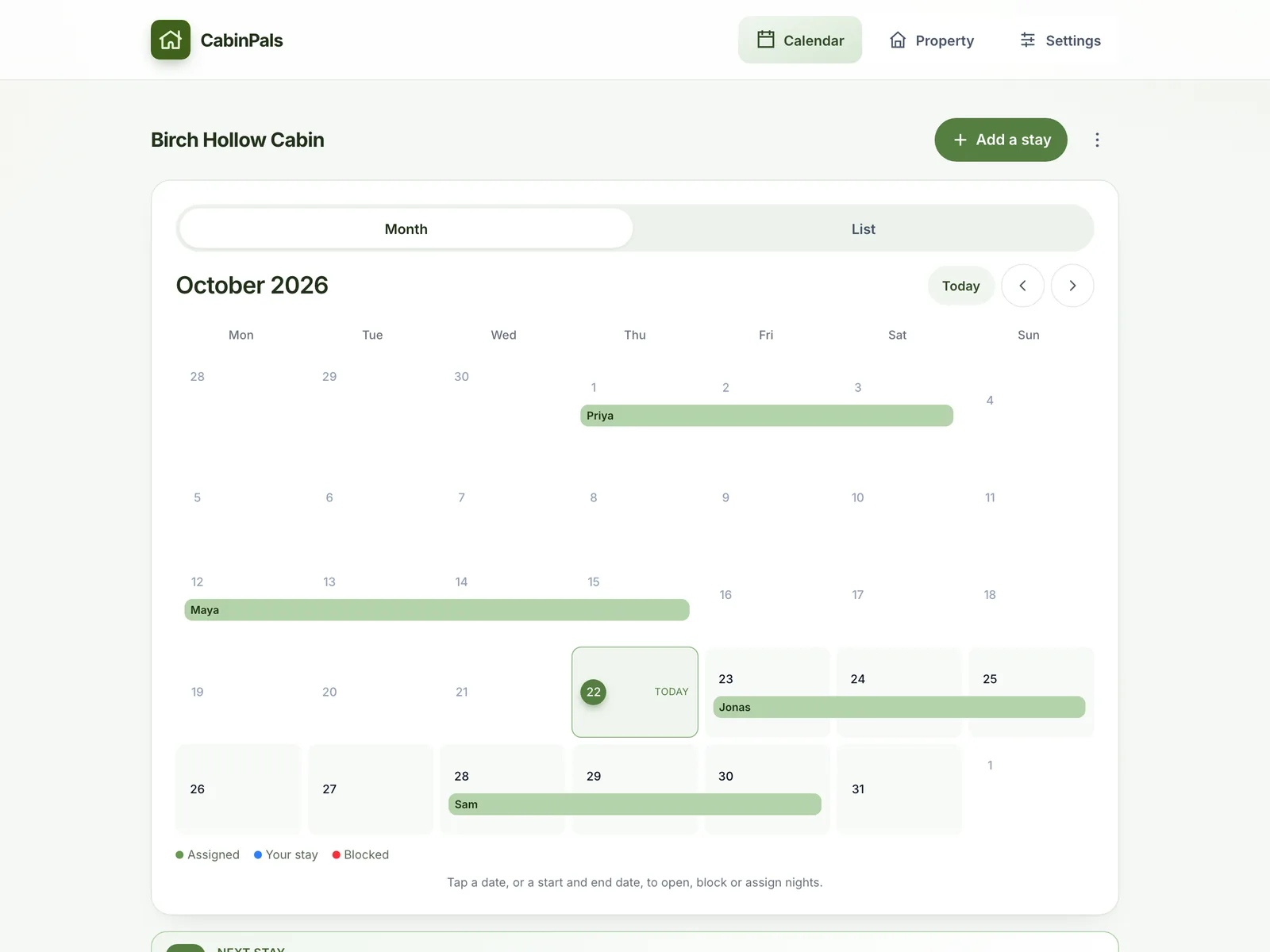
One calendar for every stay, one task list with real owners, and a shopping list that builds itself. CabinPals keeps families and friends who share a cabin or vacation home on the same page.
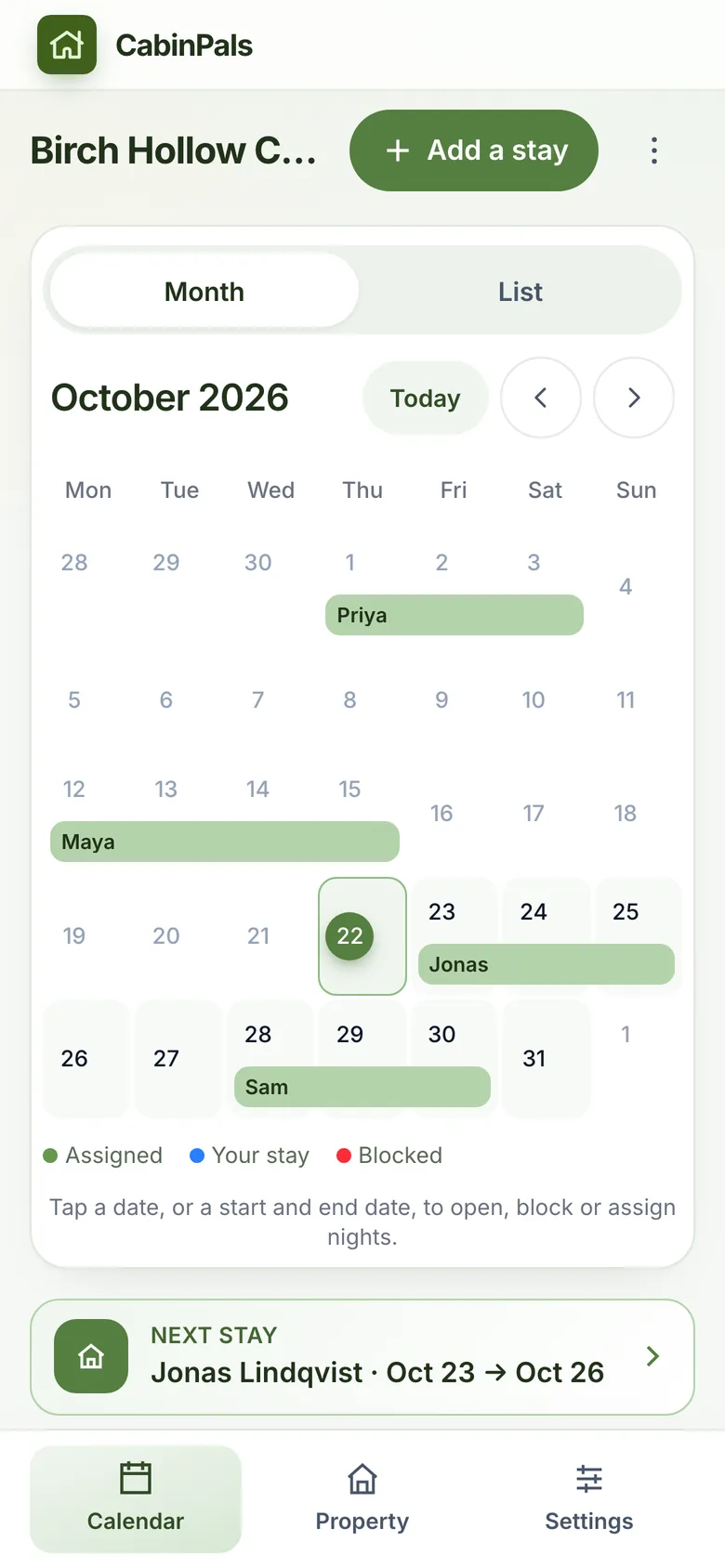
Made for places people share
Family cabins Lake houses Ski chalets Summer cottages Friend owned retreatsMost co-owner groups do not need another meeting. They need one place everyone checks.
Two people book the same weekend.
Everyone sees every stay. Tap a date to book, block or assign nights.
Nobody knows who was meant to fix the leak.
Every job has a status, an urgency and a due date the whole group can see.
Money talks get awkward.
Each task carries an estimate and the actual cost, so spending is never a mystery.
House info lives in five different places.
Photos, rules, check-in steps and emergency contacts, one tap from any phone.
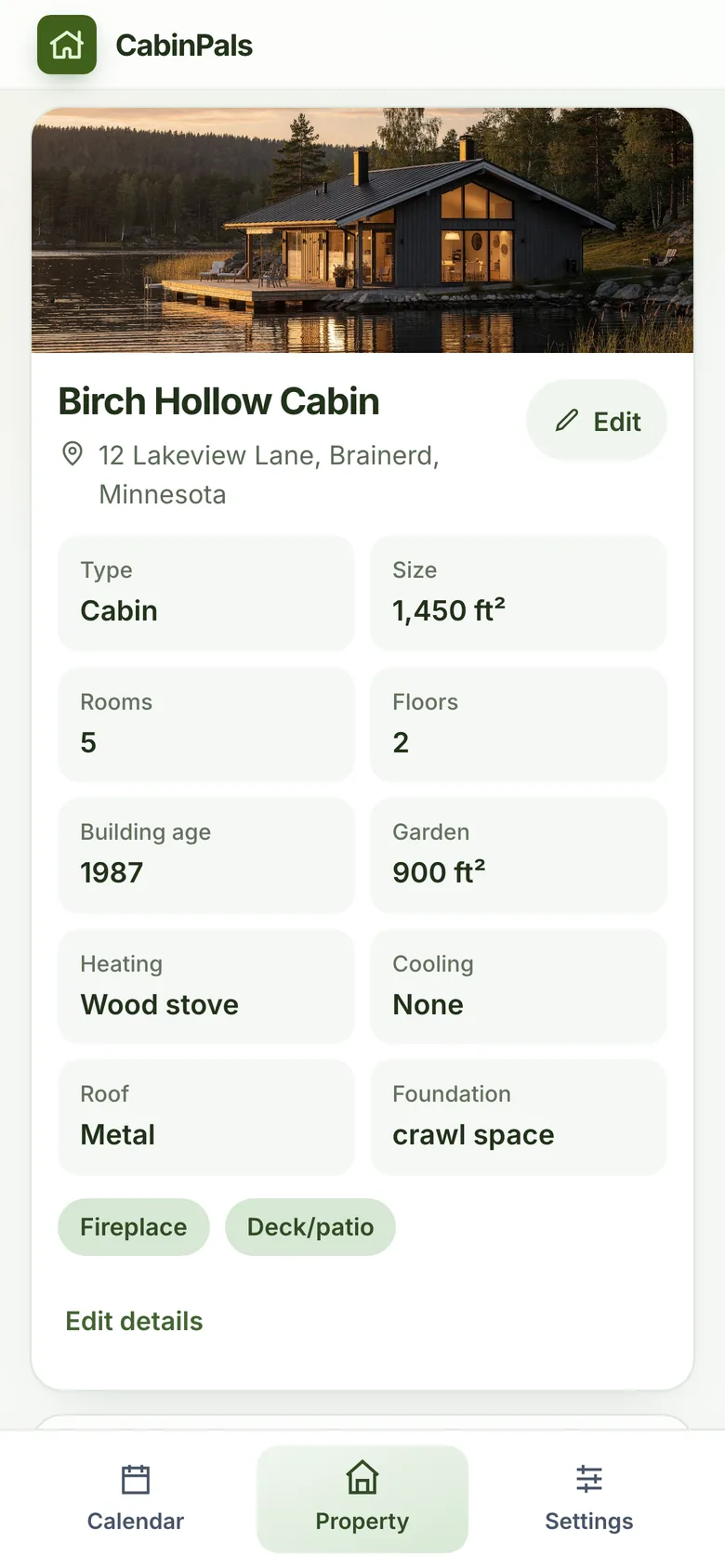
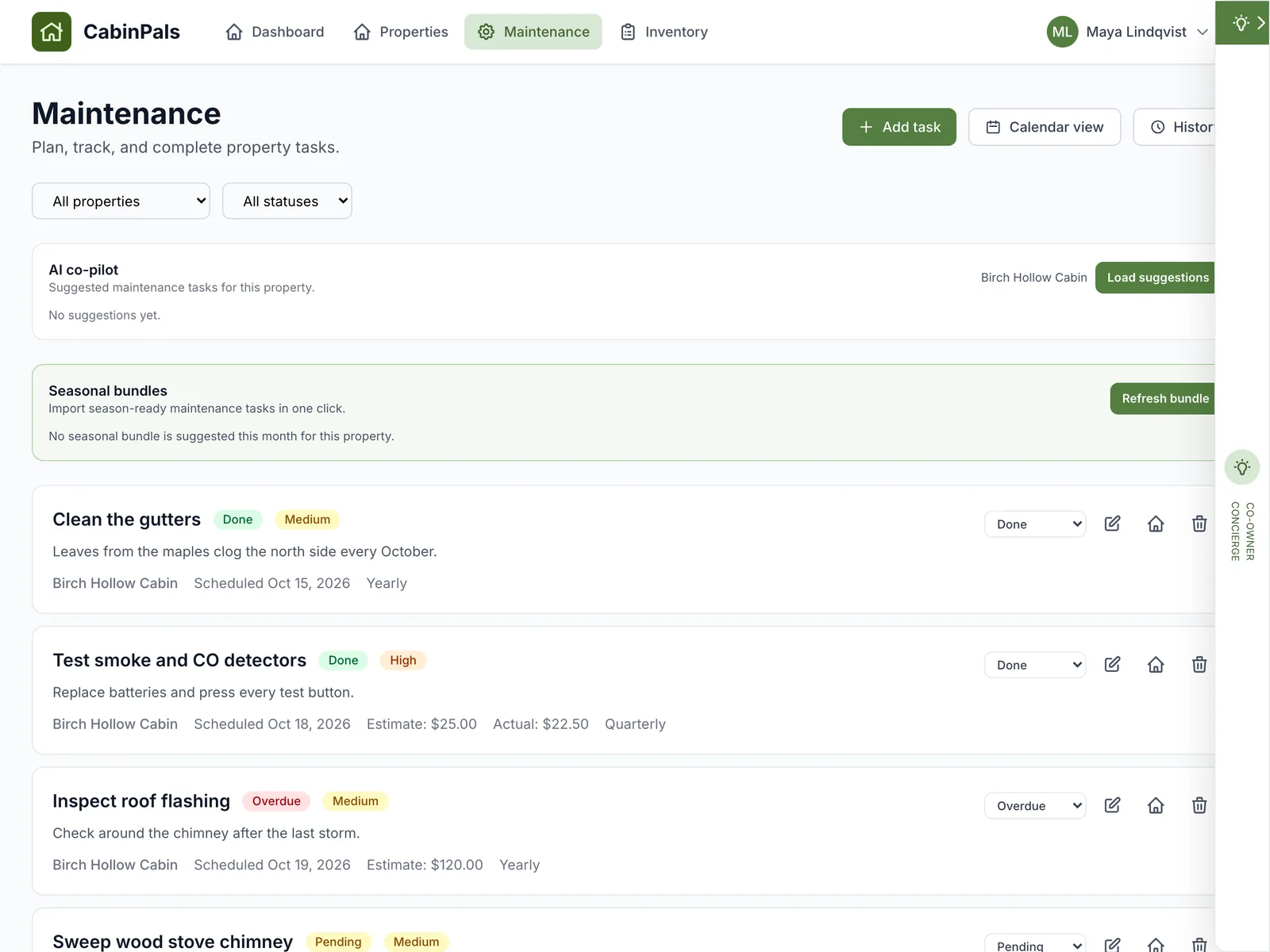
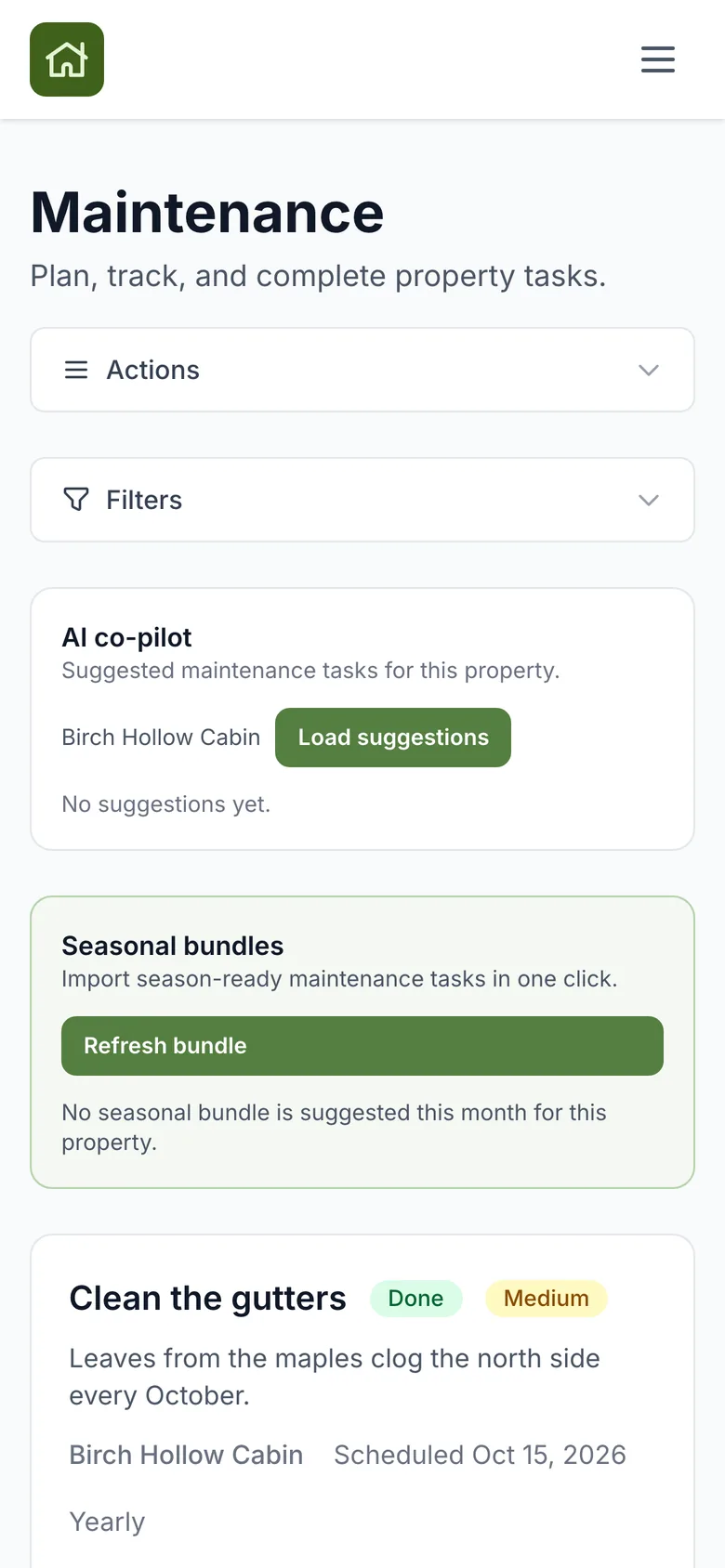
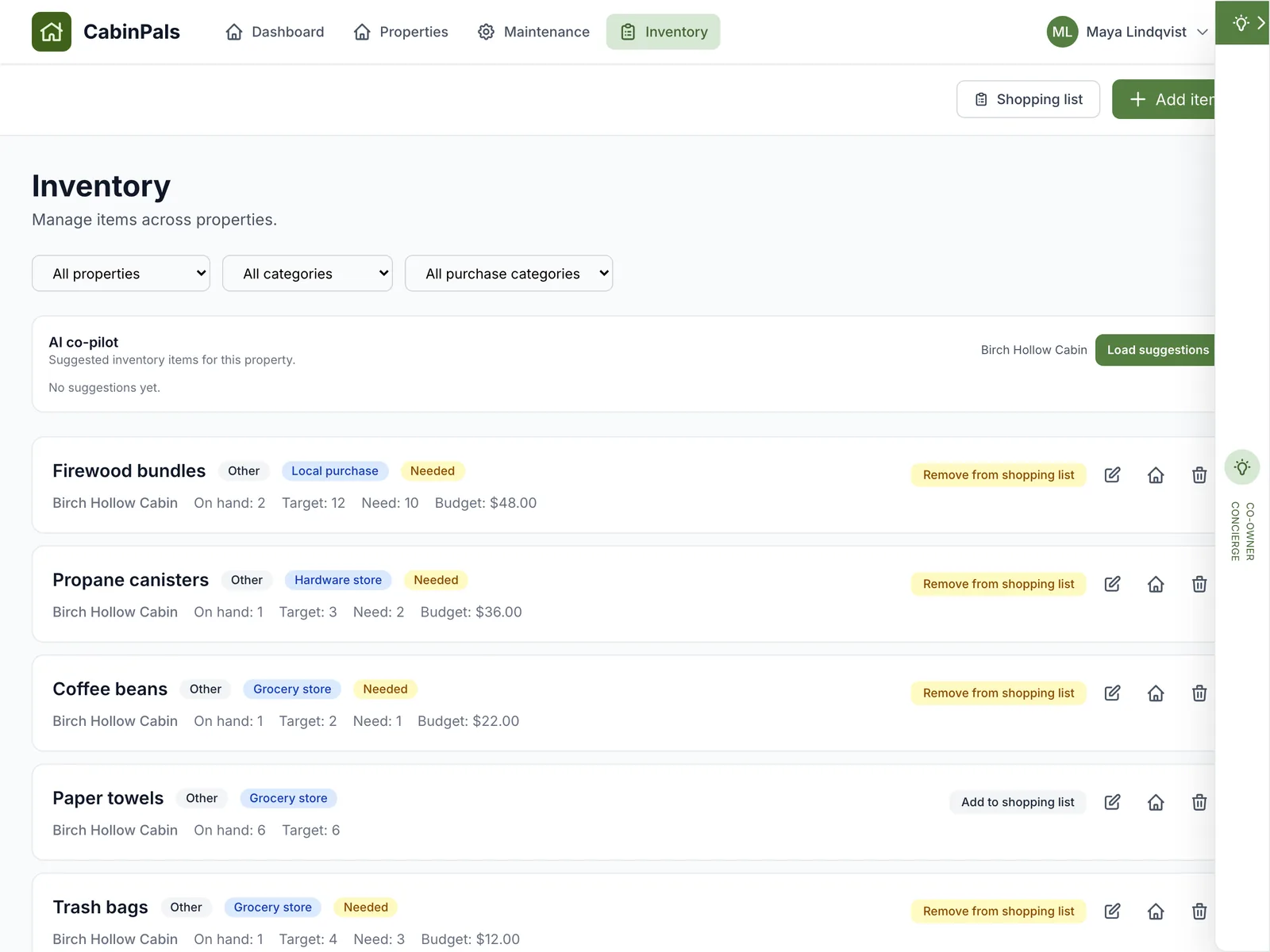
Real screens from the app, on a laptop and on a phone.
See every stay at a glance in month or list view. Tap a date to book, block or assign nights. Bring over what you already have from Google, Outlook or Apple Calendar.
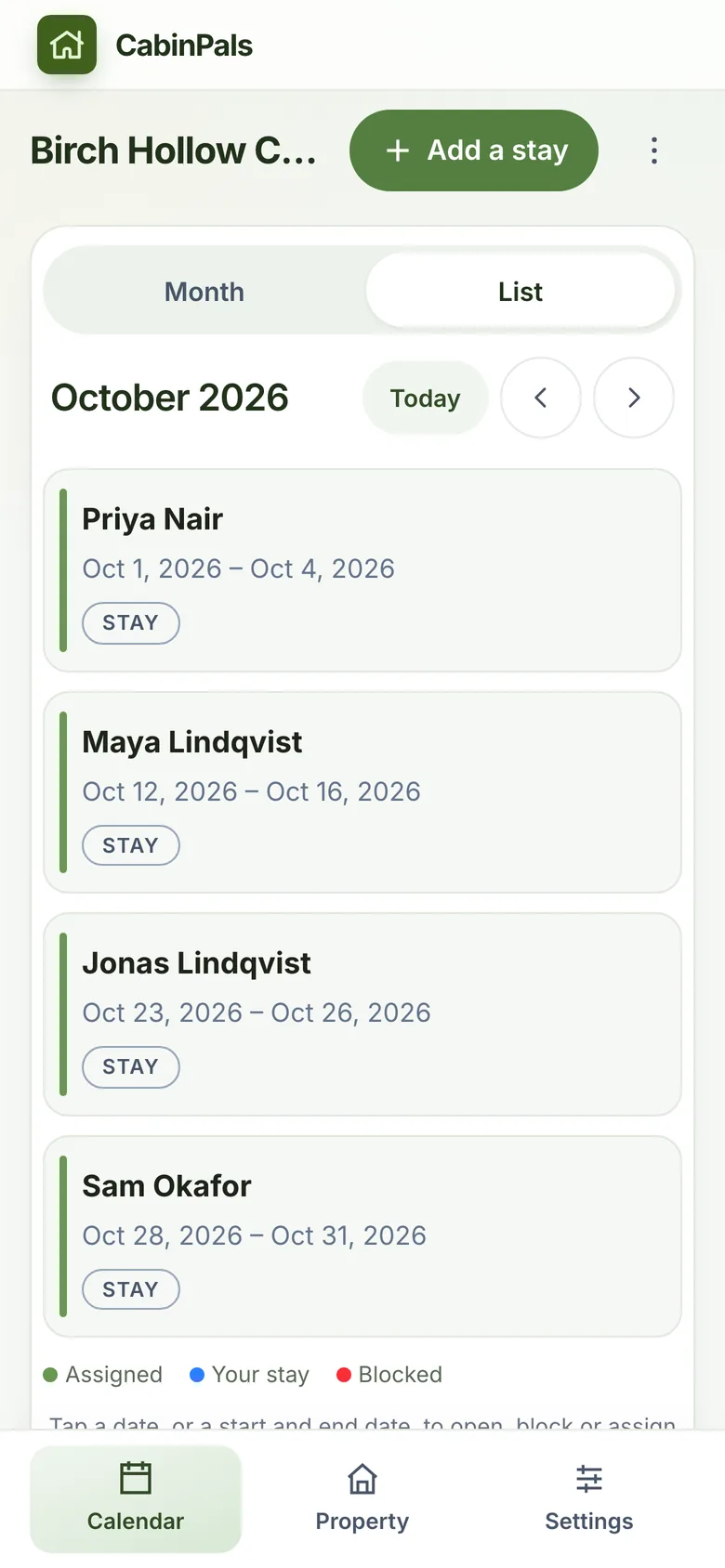
Photos, key facts, house rules and check-in steps live next to the calendar, so guests and co-owners stop asking the same questions.
Add a job once and see who has it, how urgent it is and what it should cost. Yearly and quarterly chores come back on their own.
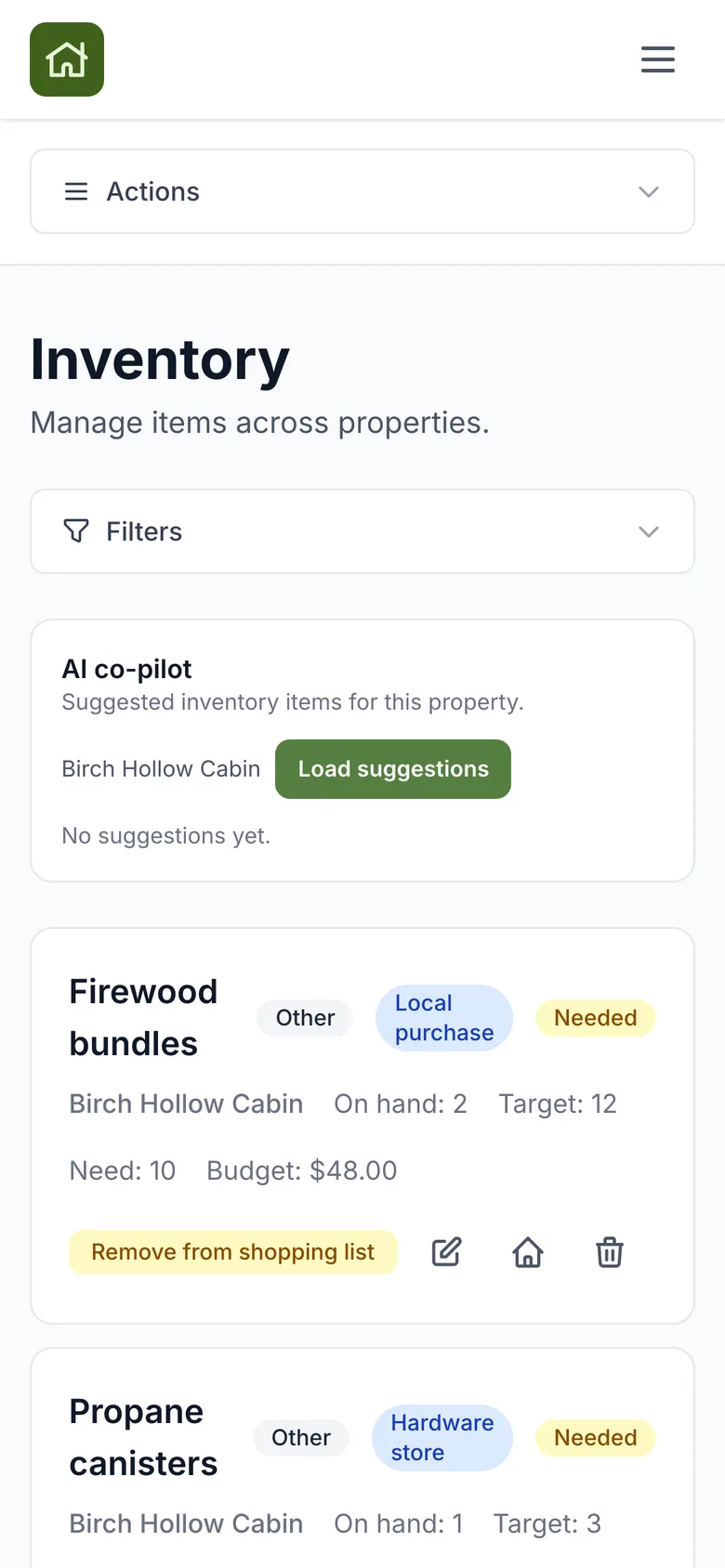
Set how much of each item you want on hand. When the cabin runs low, the item lands on a shared list, so nobody arrives to an empty propane tank.
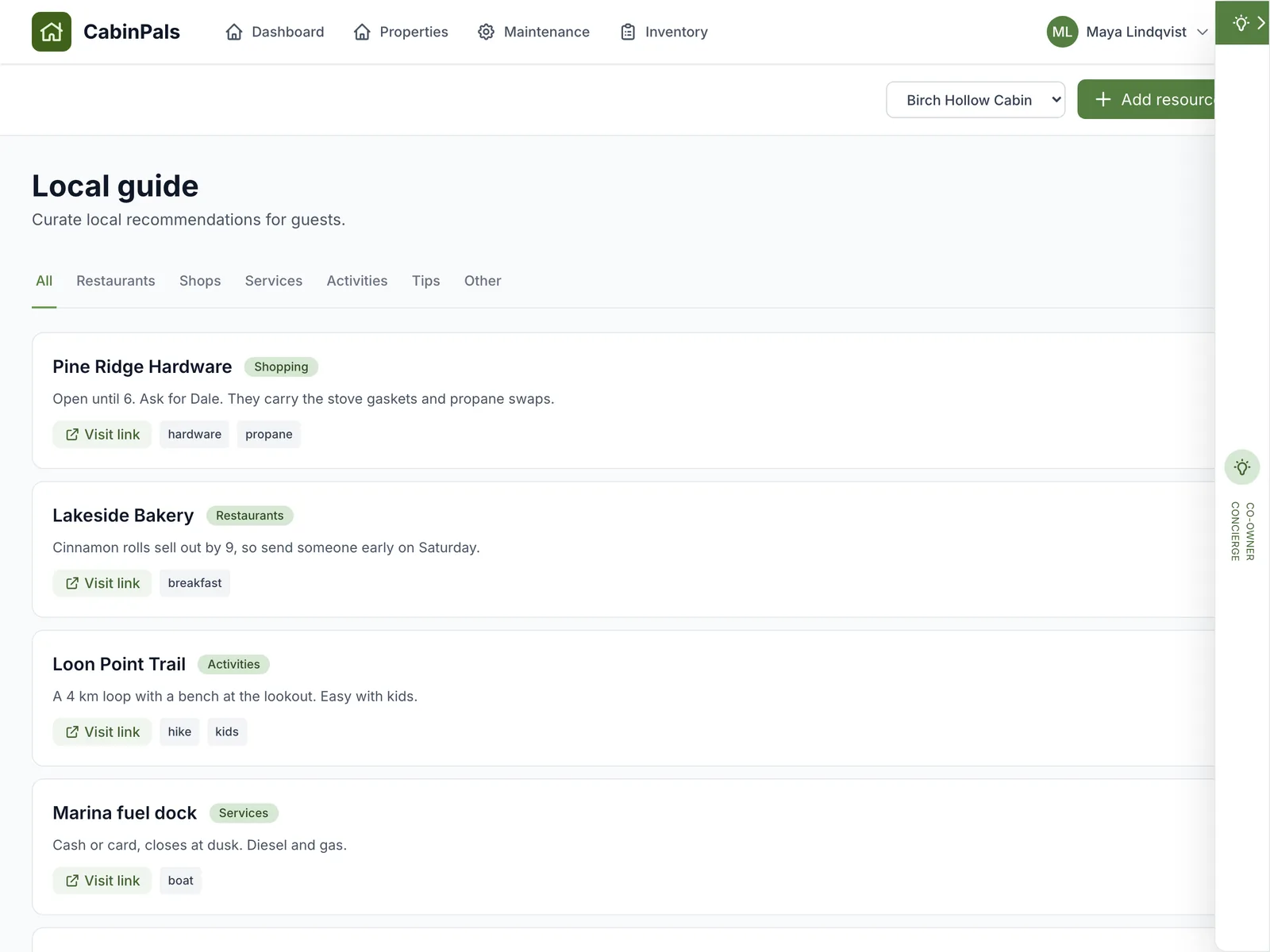
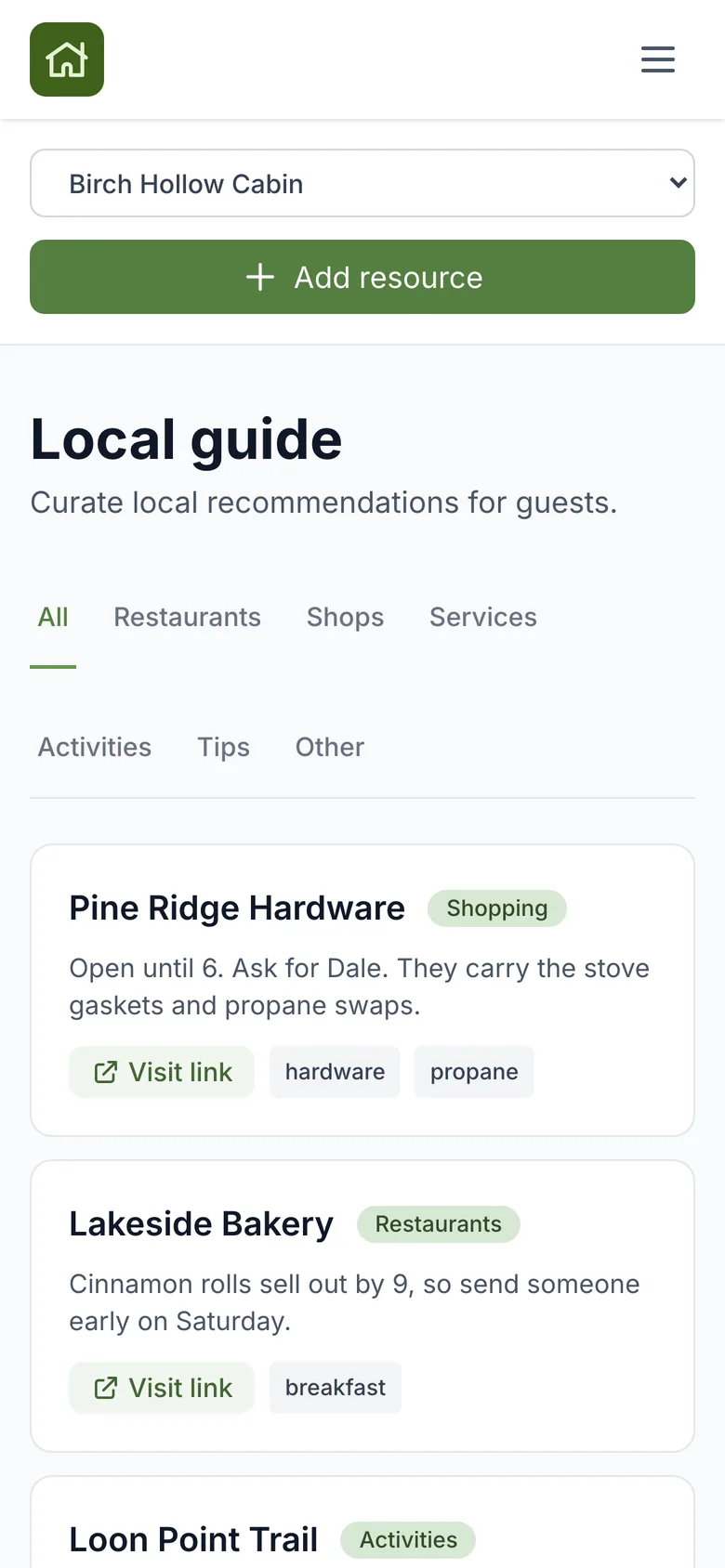
Where to get the best bread, who sells firewood, which trail the kids like. Keep it in a local guide instead of scrolling back through chats.
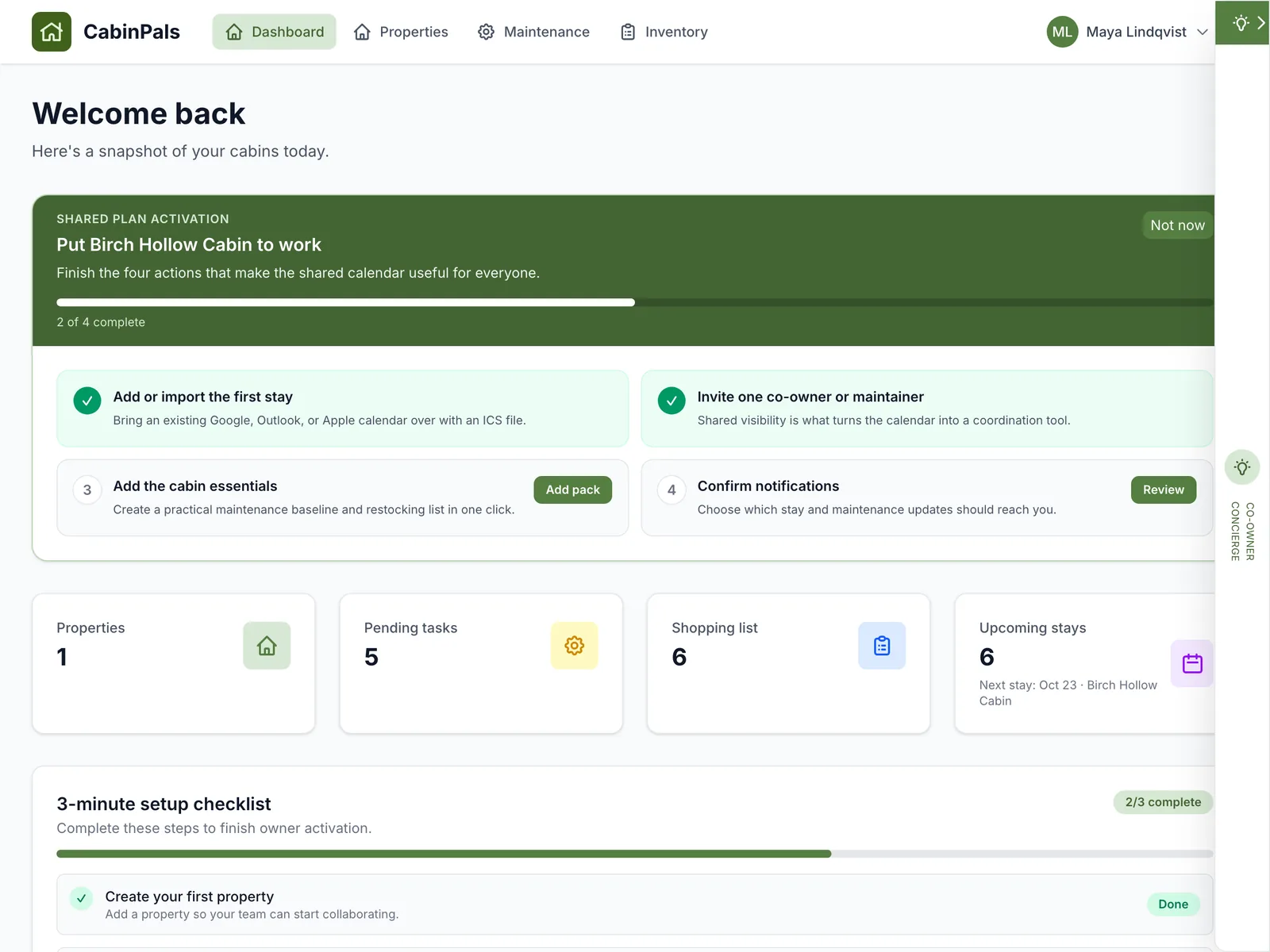
Open the co-owner concierge for a daily briefing: overdue jobs, items running low and the next stay. It suggests the next action and can draft tasks and supply ideas.
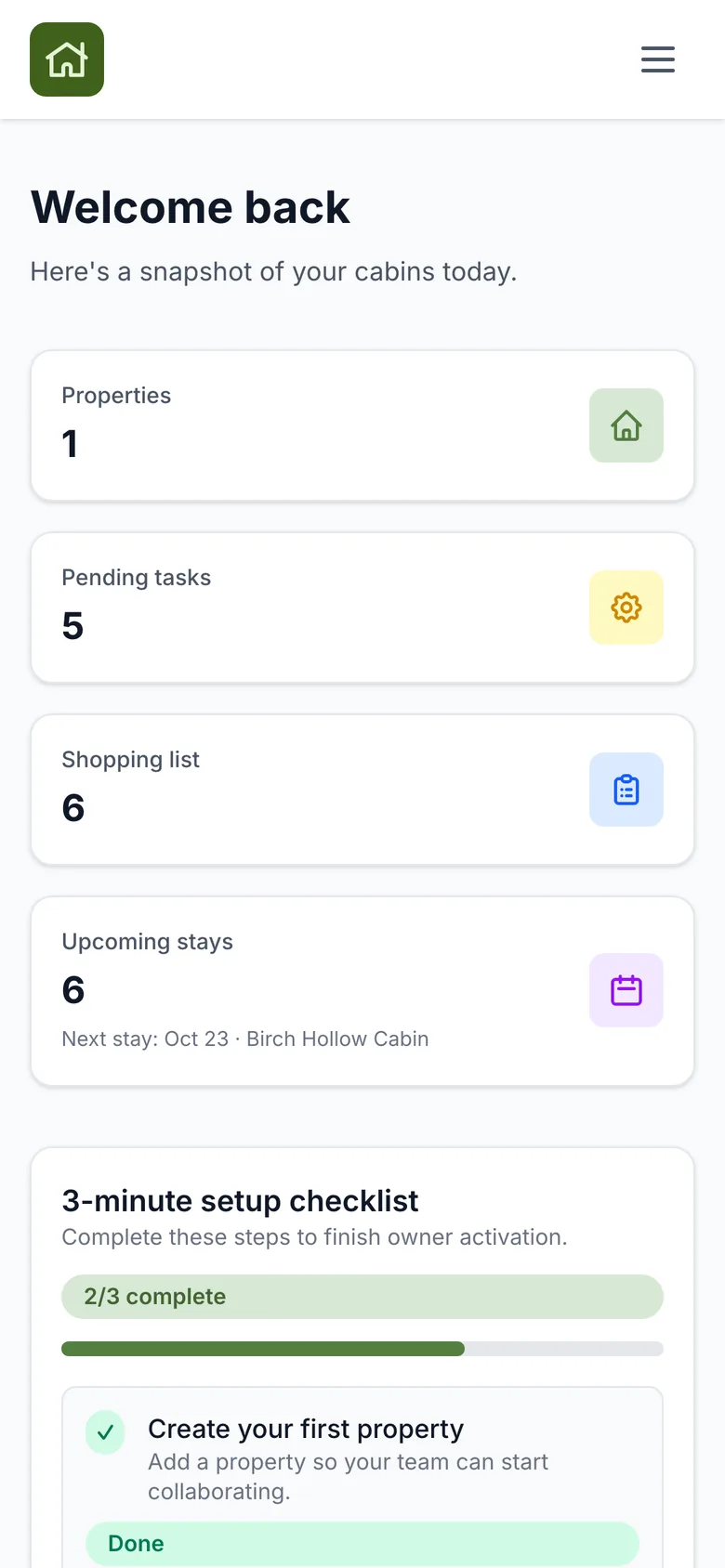
A short recorded tour of the app: calendar, house page, tasks, shopping list and concierge.
No sound. Captions are part of the video.
Start with the calendar. Add the rest when your group is ready.
Month and list views, blocked dates, repeating stays and a booking window. Add stays one by one or import an .ics file from Google, Outlook or Apple. Co-owners subscribe once and see updates in the calendar app they already use.
Invite by email as an owner, maintainer or viewer. Pending invites show in the member list and can be resent in one tap. Invited members do not need a plan of their own.
Tasks with status, urgency, recurring schedules, estimates and actual costs. Link a service provider and keep a history of what was fixed.
Spring and summer packs for the northern hemisphere, autumn and winter packs for the south. Import them in one click and edit freely.
Prepare stay creates a pre arrival check, a restock and a post stay closeout, dated around the visit.
Target quantities turn low stock into a shared list, filtered by where to buy it.
A daily briefing, suggested tasks and supply ideas. AI only rewrites text you already wrote and keeps every fact. It never makes up details about your house.
Email and WhatsApp reminders for stays and tasks on Shared and Portfolio plans, plus a monthly readiness digest.
Save the bakery, the hardware store and the plumber who answers on Sundays.
English, German, French, Danish, Swedish, Norwegian and Italian, with metric or imperial units.
Simple keeps one property and the calendar front and center. Advanced adds the full toolkit. Switching never removes your data.
A phone first interface with three tabs: Calendar, Property and Settings. Included with Lite and Lite Plus.
Everything in Simple plus the full toolkit. Included with Shared and Portfolio.

Most groups finish in about three minutes. Start on a laptop or straight from your phone.
Give it a name and address, then add a photo so everyone knows they are in the right place.
Plan an upcoming visit, or import your existing calendar from a Google, Outlook or Apple .ics file.
Send an email invite. People click the link, set a password and see the same calendar you do.
Free to start. No setup call needed.
One plan covers everyone you invite. Start free and upgrade when your group is ready.
Try CabinPals on your own, no card needed.
Free for as long as you like
A small group sharing one cabin.
Billed monthly
Co-owners who run the place together.
Billed monthly. 14 day free trial from Settings
People who look after several homes.
Billed monthly
All prices are in US dollars and billed monthly. Cancel any time from your account. Local taxes may apply.
A look at what is in testing and what is planned. Dates can move.
A native iPhone app with push notifications for stays and tasks, Sign in with Apple and Apple Pay for upgrades.
Gentle nudges before a freeze, heavy rain or high wind, limited to a couple of alerts per property each week.
A short summary for groups with overdue tasks, so reminders come from the product instead of from you.
Printable guides you can use today, with or without the app.

Docks, water, linens and vendors, before the first guests arrive.
Open the guide
Lock priority weekends and handoffs before double bookings start.
Open the guide
Weatherproof the place and share the winter risk follow ups.
Open the guide
Supplies, emergency contacts and who does what after the storm.
Open the guideSet up your house in minutes. Invite your group when you are ready.